
Key Takeaways
- Structured cabling supports data, voice, security, access control, audio, and smart building systems.
- Cat6 suits standard gigabit office runs; Cat6A supports 10-gigabit, high-PoE, and dense device environments.
- Fiber is ideal for long distances, inter-floor backbones, interference-prone areas, and future bandwidth growth.
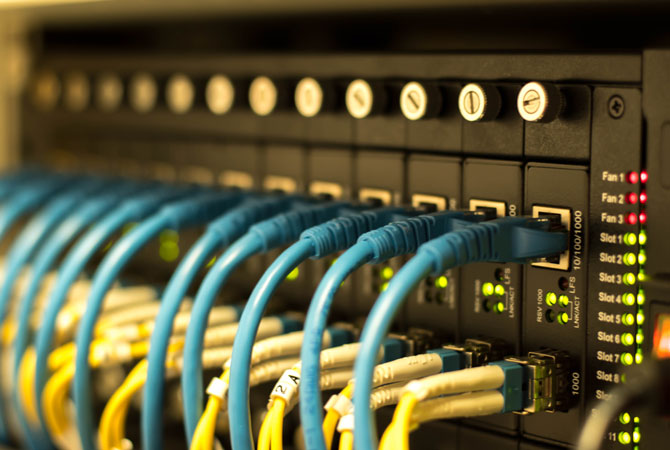
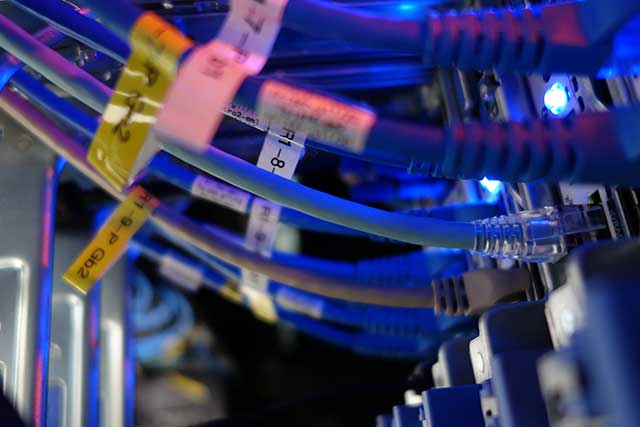
- Labeled cables, patch panels, organized racks, and accessible pathways simplify maintenance, moves, and expansion.
- Testing and documented certification results help identify faults before occupancy and reduce later downtime.
Choosing Cat6, Cat6A, Fiber or Wireless Backhaul
The right cabling choice begins with the paths your data must travel, the devices sharing each run and the environment around them. Cat6, Cat6A, fiber and wireless backhaul each carry a communication signal well under different conditions; selecting one shapes everyday reliability and future expansion.
Network Cabling Selection Checklist
- Use Cat6 for standard workstation, phone, camera, and access-point runs supporting current gigabit network needs.
- Choose Cat6A for planned 10-gigabit links, dense device areas, or high-power PoE equipment.
- Allow extra tray and pathway space for Cat6A’s larger cable size before walls and ceilings are finished.
- Install fiber between floors, buildings, or network rooms where copper distance limits create a problem.
- Use fiber near electrical interference sources or where major bandwidth growth is expected over time.
- Consider wireless backhaul where trenching or cable pulls are impractical and a clear radio path exists.
- Plan a hybrid layout: backbone fiber or copper, structured horizontal cabling, and wireless for mobility.
Network Cabling Options by Distance, Density and Growth Needs
| Option | Best fit | Planning considerations |
|---|---|---|
| Cat6 | Workstations, phones, cameras and access points within standard Ethernet distances where gigabit service is the current need. | Suited to straightforward cable routes. |
| Cat6A | Planned 10-gigabit connections, high-power PoE equipment or dense device clusters. | Larger construction requires more tray and pathway space before walls close. |
| Fiber | Links between floors, separate buildings or network rooms; runs beyond copper limits; sites with electrical interference or major bandwidth-growth plans. | A fiber backbone supports changing electronics without replacing the installed pathway. |
| Wireless backhaul | Links where trenching or cable pulling is impractical. | Requires a clear radio path and careful site design. |

Network Cabling Use Cases Across South Pasadena Businesses
South Pasadena businesses rely on dependable cabling in ways that are easy to overlook until a connection drops, a call freezes, or a payment terminal goes offline. A thoughtfully planned infrastructure gives offices, storefronts, clinics, schools, and hospitality spaces a stable foundation for daily work. The right network solutions account for building layout, equipment density, future growth, and the services each team depends on.
Cabling Needs by South Pasadena Business Type
| Business setting | Common connected systems | Cabling planning considerations |
|---|---|---|
| Professional office | Workstations, conference-room displays, wireless access points, phones, printers, and secure network closets | Plan connections around building layout, equipment density, team services, and future growth. |
| Medical or dental practice | Scheduling systems, patient records, imaging equipment, and staff communication | Use orderly cable runs and keep cords out of treatment areas. |
| Retail space | Point-of-sale stations, inventory devices, security cameras, and guest Wi-Fi | Route cabling cleanly around customer-facing spaces. |
| Older property | Communication systems and new devices | Protect finished walls and historic details, work within limited pathways, and keep systems discreet and serviceable to avoid disruptive rewiring later. |